


The WordPress vs. Wix debate has been going on since roughly 2006, back when Wix was founded. The fact remains that if you want a high-performing website, you can choose either of these top-rated platforms.
But if you have to choose either Wix or WordPress, your decision would come down to the needs of your specific project, your business type, your budget, your hosting requirements, and various other concerns.
Let’s first address some of the doubts you may have.
Is Wix or WordPress better for 2026?
Wix is a better platform if you want a website ready in one afternoon without knowing any code.
Typically, WordPress is the better choice if you want to grow a scalable business or a long-term blog because of the level of adaptability it offers. With professional WordPress development services, you can unlock advanced customization, stronger SEO capabilities, improved performance, and a fully scalable digital presence tailored to your business goals.
Experts at Forbes suggest that Wix wins for ease, but WordPress wins for flexibility.
Should I switch from Wix to WordPress?
Yes. You should consider switching in case your Wix website needs more customisation or if your business is growing.
The good thing about WordPress is that it allows you to add complex features that Wix sometimes blocks.
That said, moving is not as simple as you may think. You often have to copy your text and pictures over one by one because the two systems are not particularly compatible with each other.
In this article, we will go through the core features and capabilities of both Wix and WordPress, comparing and contrasting each platform based on its value, features, and ease of use.
What Is Wix?
Wix is a popular cloud-based website builder which allows even beginners to build their own website, ecommerce store, landing page and blog without much hassle.
Plus, you would not need to buy separate hosting or security since Wix includes them in your monthly fee.
The platform uses a drag-and-drop system, which means you can pick up an image or a text box with your mouse and position it anywhere on the screen. The main aim of the Wix platform is to allow people to build a professional website even if they don’t know how computer code works.
If you are in a rush, you can use their AI tool, Wix ADI (Artificial Design Intelligence). What you would need to do is answer a few questions about your business, and the system builds the pages for you. It even picks the images and writes the first draft of your text.
With Wix you can:
-
Build your site very quickly.
-
No need to learn coding.
-
Hosting is included for free.
-
Support team helps you 24/7.
What Is WordPress?
WordPress is a free CMS (content management system) that helps you manage all the content on your website.
Now, unlike Wix, it is ‘open source,’ which means the code is public and anyone can create new tools for it.
For WordPress, you have to buy your own web hosting. But, once it is set up, you have total control over every single pixel and setting. That’s the reason why it’s the most popular way to build a website in the world today.
Because so many people use it, there are thousands of plugins available. These plugins work in a similar way to apps on your phone, by add new functionalities to your website.
The reason people choose WordPress is:
-
You own every part of it.
-
Thousands of free design choices.
-
Change anything you want easily.
-
Great for very large websites.
Key Comparisons between WordPress and Wix
|
Feature |
Wix |
WordPress |
|
Ease of Use |
Very easy; drag and drop |
Harder; takes time to learn |
|
Setup Time |
A few hours |
A few days |
|
Cost |
One monthly fee for everything |
Free software, but you pay for hosting |
|
Help/Support |
Official team you can message |
Community forums and help articles |
|
Maintenance |
Wix handles all the updates |
You must update it yourself |
Key Features: WordPress Vs. Wix
You will be investing time and money on the platform you choose, so rather than making surface-level comparisons, it makes more sense to look at the features of each of these platforms.
Then accordingly, you can make an informed decision based on your unique needs.
1. Customisation Capabilities
Wix uses a WYSIWYG (What You See Is What You Get) editor. What does this mean?
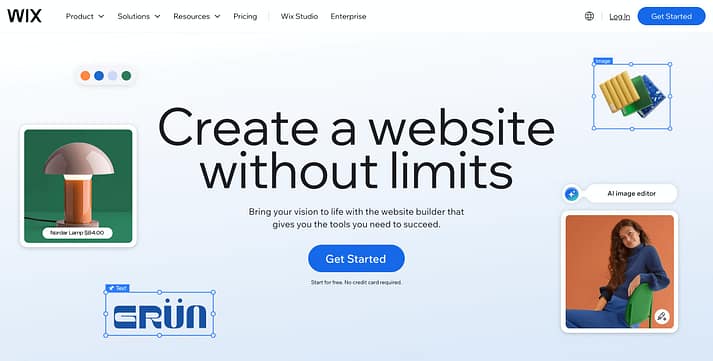
As you can see above, it just means that the screen you use to build your website will look exactly like the website people see online. You can place a button exactly three inches from the top if you want. Yet, you will be limited to Wix’s editor, templates and supported apps.

WordPress uses themes, which are pre-made layouts. Yes, you can change the colours and text, but you usually follow a specific structure unless you use extra tools called page builders.
You get complete control, with the ability to change various aspects like functionality, styles and structure.
2. Powerful Add-ons
WordPress has over 60,000 plugins. So, in case you want your website to do something specific, chances are, someone has already built a tool for it.
On the other hand, the Wix App Market has about 500+ apps. Yes, it is much smaller than what WordPress offers.
It may happen that a business needs a very rare or special feature. In that case, they are more likely to find it on WordPress.
3. SEO (Search Engine Optimisation)
Wix provides built-in SEO tools within its platform. You can directly edit meta titles, descriptions, alt text and so on. You don’t have to rack your brains, just follow the guided optimisation steps checklist. Certain technical SEO tasks, such as sitemaps and basic indexing, are handled automatically.
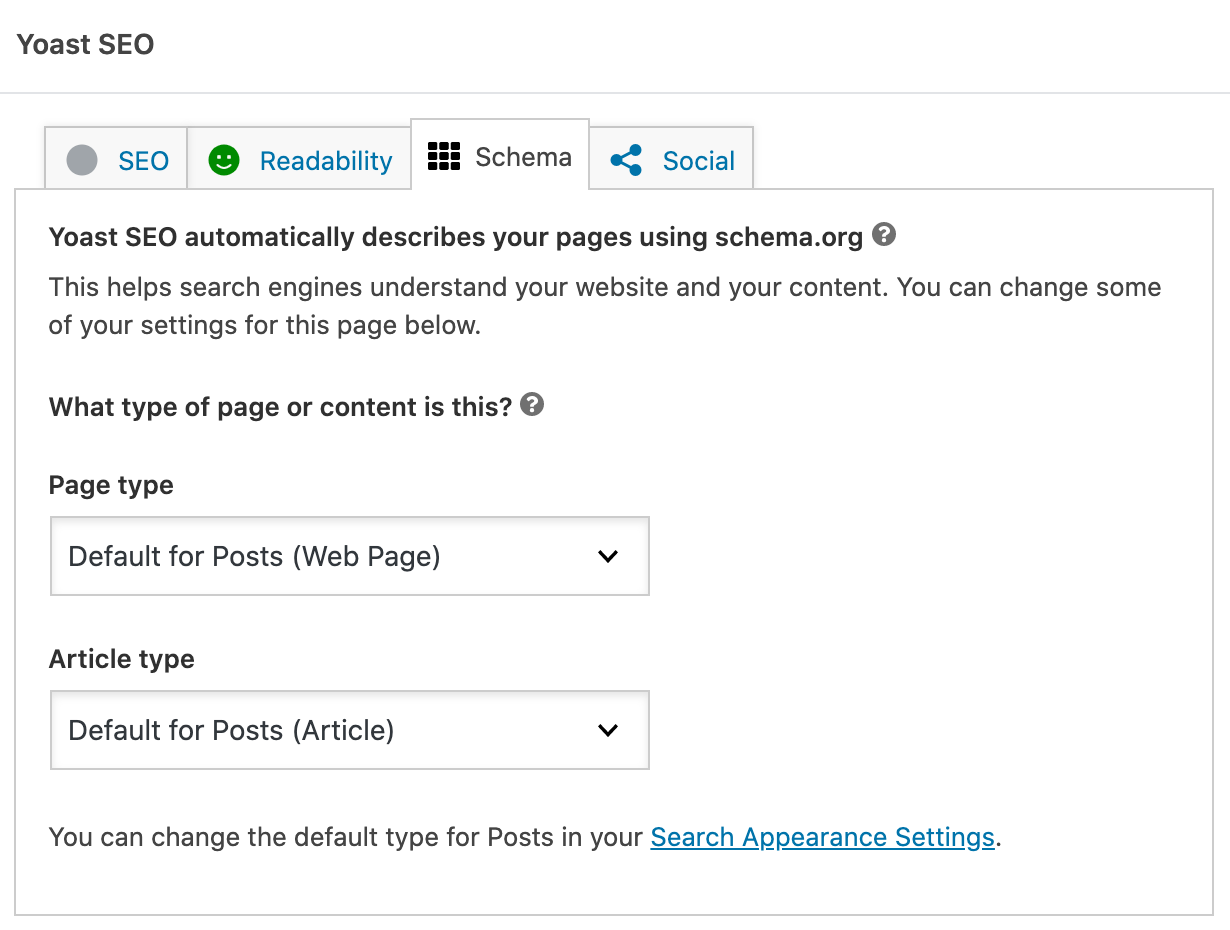
For WordPress, you would have to use SEO plugins like Yoast or Rank Math, which enable advanced control over schema markup, redirects, canonical tags, structured data, and deeper technical optimisation. The setup tends to require the help of experienced professionals.
Plus, as almost half the internet uses WordPress, Google is very familiar with reading WordPress code, which can help your site get noticed faster.
4. Mobile Experience
According to Statista, as of 2025, 62.54% of global website traffic comes from mobile devices (excluding tablets). Your website has to work well on these devices.
With Wix you get a built-in mobile editor that lets you customise the mobile version of your site separately from desktop. It’s possible to hide, resize, or even rearrange elements without affecting the main layout of your website.
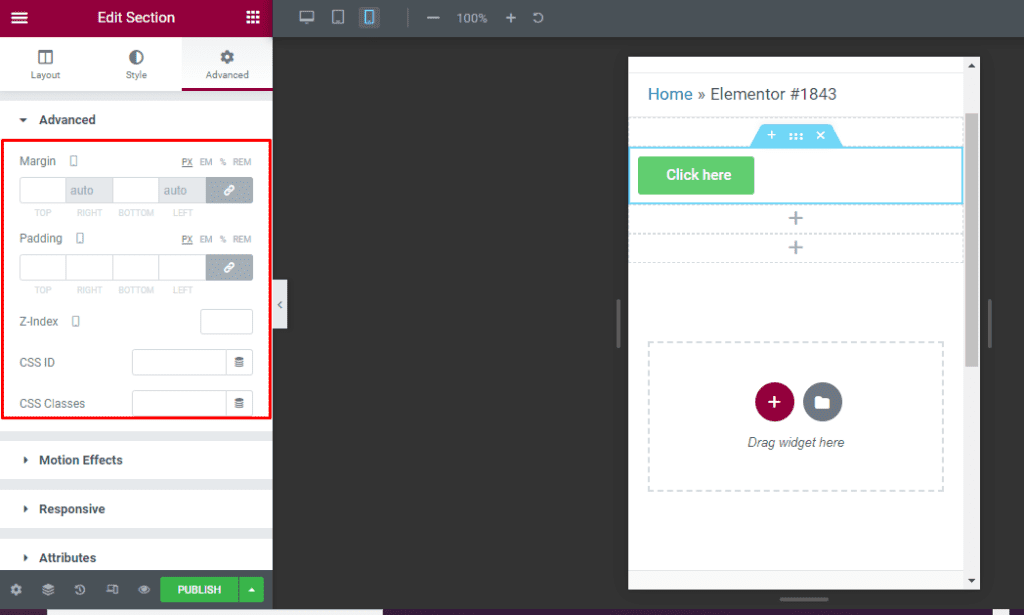
On WordPress, you have scores of highly responsive themes to choose from. They automatically shrink and move to fit any screen size perfectly. Mobile adaptability is more precise thanks to the use of page builders like Elementor. The image below shows a view from the Elementor editor’s responsive mode. You can toggle the device icons at the top to preview and adjust how the page looks on phones and tablets.
5. Website Security
Wix is a closed system. This means Wix’s own developers guard the codebase to keep hackers out. You do not have to worry about system-level security.
WordPress is an open-source platform. And, because it is so popular, hackers try to break into it quite often. To resolve this, it’s good to install your own security plugins like Wordfence, Sucuri and MalCare to keep your website protected.
6. E-commerce Capabilities
If you plan to build an ecommerce store, Wix gives you built-in ecommerce tools. Many small stores have found that that’s enough to operate comfortably.
The problem is that it can get slow if you have thousands of products. Now, WordPress uses a tool called WooCommerce. It is incredibly powerful.
Some of the biggest stores in the world, like Disney’s retail section, Mercedes-Benz and the New York Times Store, use it. The platform is capable of handling a massive number of customers at the exact same time without crashing.
Apart from evaluating the features of both these platforms, another good way to make an informed decision is by checking the business types that each of them is ideal for.
Wix or WordPress: Which Platform Fits Your Business Better?
The type of business you own, its size and other specific details would influence which platform, WordPress or Wix, would be ideal for you.
Check out the categories and figure out which platform you should choose.
Small Local Businesses
If you run a local business, like a bakery or a small tailor shop, it’s important that you have a digital business card.
Potential customers should be able to find your address, see your photos, and call you. Wix is perfect here.
The user-friendly interface, as well as the drag-and-drop editor, will help you build a professional-looking website, even if you are not tech-savvy.
Service-Based Businesses
By their nature, service-based businesses require a mechanism for potential customers to book their services. So, it makes sense for these businesses to opt for Wix, as it has a built-in booking tool called ‘Wix Bookings’ that is highly intuitive.
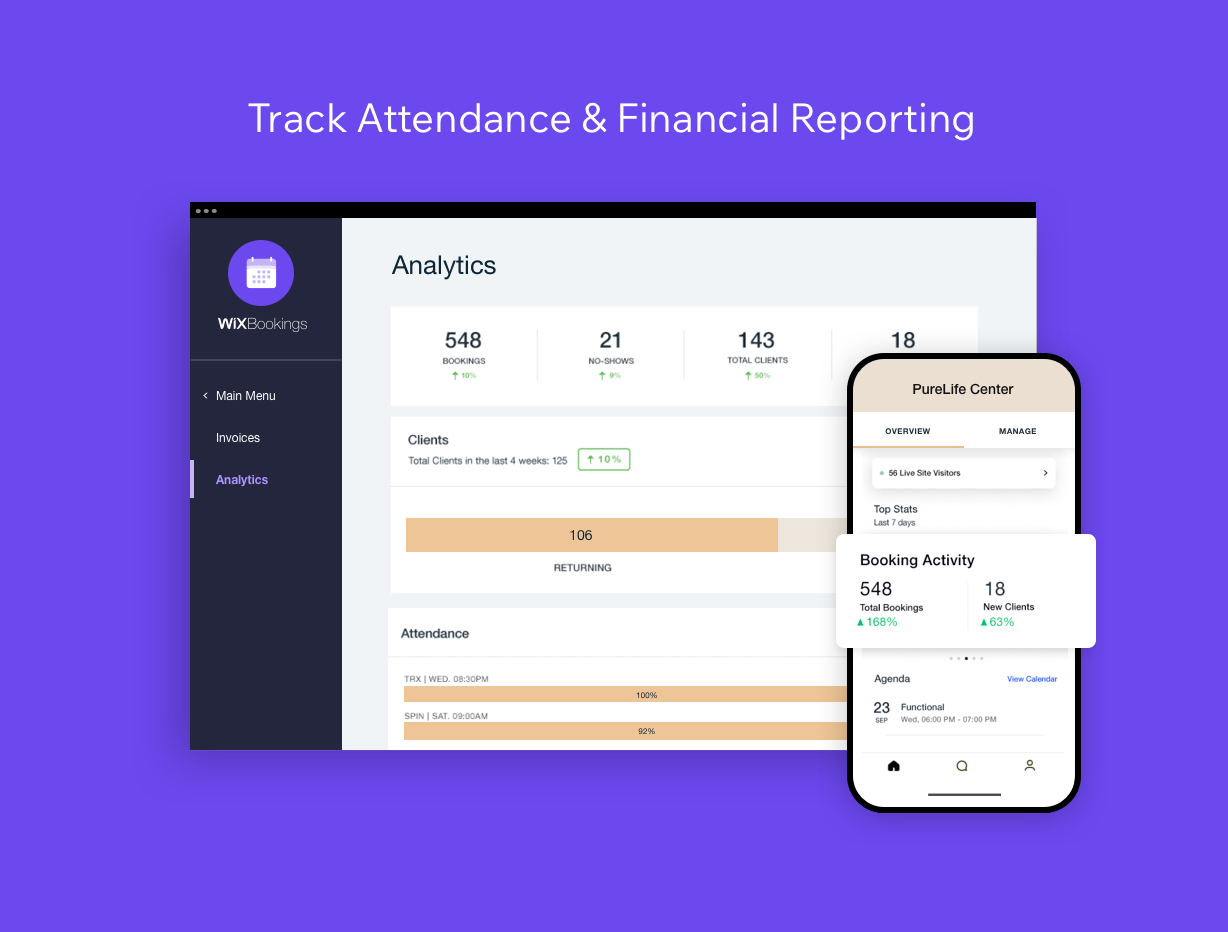
This system is built into the Wix platform and can send reminders to your clients and can also handle payments. Sure, you can do this on WordPress, but you will need to either embed a third-party app or use a plugin.
Sure, you can pick WordPress, but then you will have two options: either embed a third-party standalone booking app on your WordPress site, or install a WordPress appointment plugin.
Content-Heavy Websites
When your website has a lot of content (in terms of articles, images, videos, audio, documents, complex navigation etc.), it might lag or take a long time to load.
In this case, using WordPress would be a good idea as it offers managed hosting, built specifically for content-driven sites.
Since you can access things like image optimisation, content delivery network (CDN), and caching on WordPress, your website won’t falter even when it keeps expanding.
But, if your site has more than 100 pages and you pick Wix, you will most likely experience slow load time.
Long-Term Business Plans
The fact that WordPress offers over 50,000+ plugins and thousands of themes is reason enough for long-term businesses to choose this platform.
Plus, your business’s website will be future-proof, thanks to the high-level adaptability, continuous updates, and AI-driven plugins you can avail on WordPress.
Mainly, businesses choose WordPress because there are limitless options, which means you will not be forced to keep rebuilding your whole website again and again.
The Verdict
Now that you have reviewed the merits of both Wix and WordPress, you will be in a better position to make an informed decision regarding what to choose for your project.
Sure, WordPress enjoys massive popularity, but these days, several user-friendly drag-and-drop platforms like Wix are available in the market.
Ultimately, businesses that want ease and speed choose Wix, and the ones that are looking for long-term growth, customisation, and total control tend to opt for WordPress.
If you have further doubts about which to choose, WordPress or Wix, then it would be best to consult an experienced web development company like Webskitters Ltd.
Our development team will point you in the right direction after thoroughly analysing your website project’s specific needs.
You can give us a call and get expert suggestions from our top consultants.
Frequently Asked Questions
Is WordPress harder to use than Wix?
At first, yes. WordPress has more settings and requires a hosting setup. However, once everything is installed, managing pages and posts becomes straightforward with some practice.
What are the disadvantages of Wix?
Wix is easy to start with, but design flexibility and advanced customisation can feel limited as your site grows. Moving your website away from Wix later is also difficult.
Can I switch from Wix to WordPress?
Yes, but it is not automatic. Content can be moved, though design and layout usually need rebuilding. The process takes time, especially for larger websites.
Is Wix or WordPress better for SEO?
Both can rank well. Wix handles basic SEO automatically, which helps beginners. WordPress gives deeper control through plugins, making it better for complex or competitive industries.
